Infor Connect 2026 just wrapped up, and there was a lot to talk about.
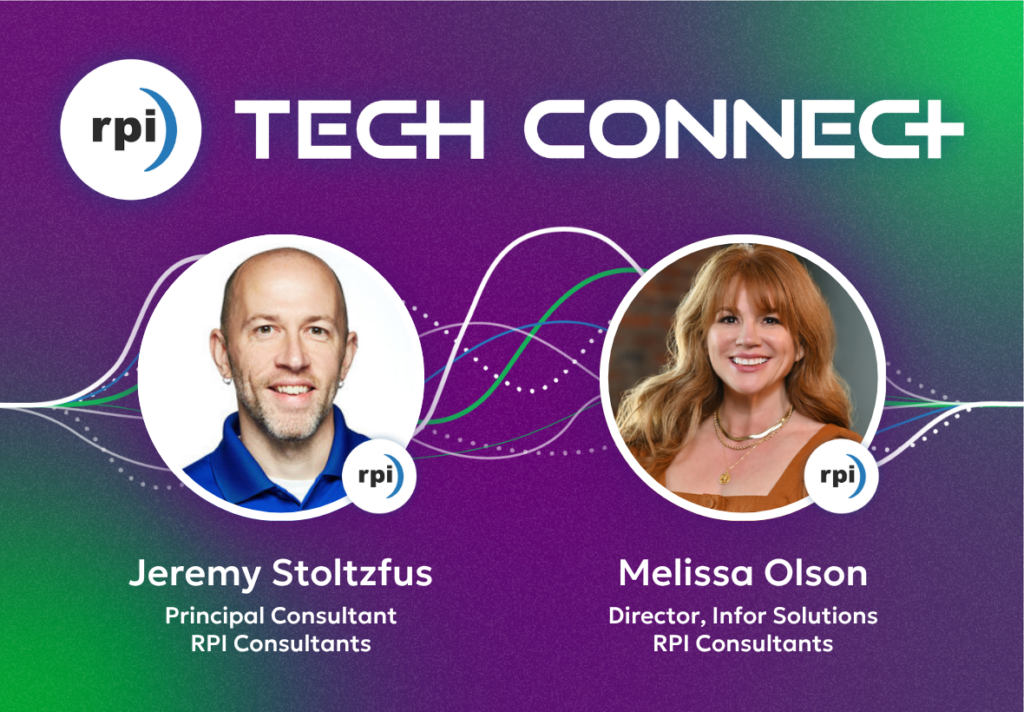
In this special edition of RPI Tech Connect, Chris sits down with two guests who were on the conference floor: Jeremy Stoltzfus and Melissa Olson.
Jeremy covers the usability story—the new Notification Center, Velocity Suite AI use cases, and why the Consolidated WebApp deadline this October is something you don’t want to ignore.
Melissa picks up where Jeremy leaves off with the bigger picture: agentic AI going from buzzword to live functionality, a unified experience that finally puts HR and WFM in one place, and how Infor’s try-before-you-buy model makes it easier than ever to start experimenting.
Two conversations, a lot of ground covered. If you missed the event, or attended and want a concise recap, don’t miss this discussion.
Interested in listening to this episode on another streaming platform? Check out our directories on the WRKdefined network or watch the YouTube video below.
Meet Today’s Guest, Jeremy Stoltzfus
Jeremy Stoltzfus is a Principal Technical Consultant who has been with RPI since January of 2017. Jeremy is a Certified Infor Developer with technology expertise on both Windows/MS-SQL and Unix/Oracle on-premise and Cloud platforms.
Jeremy’s focus on process improvement within multiple Infor CloudSuite configurations, security, development, upgrade, and data conversion projects has helped Infor clients make the most of their ERP investment. He ensures that a client’s business requirements can be achieved using Infor CloudSuite solutions.
Throughout his career with RPI, Jeremy has worked as a technical consultant, integration architect, systems analyst, programmer, and technical lead for various implementation and optimization projects. Jeremy is also very involved with RPI’s training initiatives and enjoys teaching multi-day workshops and presenting webinars and at Infor user groups.
Prior to joining RPI, Jeremy worked as an Infor Lawson system administrator for 15 years where he led significant upgrade and development efforts. He has always been an active participant in the Infor Lawson community.
Meet Today’s Guest, Melissa Olson
As RPI’s Director of Infor Solutions, Melissa Olson has been at the forefront of massive Infor CloudSuite and legacy Lawson implementations for well over a decade. Nowadays, you are likely to find Melissa in the role of Executive Oversight ensuring quality in HR Talent implementations and out in the community presenting, demonstrating, and connecting with clients.
Over the last 20 years of Melissa’s career, she has modified the Lawson code set as a programmer for a transportation agency, led an North American HCM implementation while tending to her day job as a HR Business Partner for a marketing and merchandising firm and built an HCM Practice with RPI from scratch while consulting.
With her unique mix of experience understanding organizational needs, deep knowledge of Infor People Solutions, and the boundaries of the Infor technical extension toolset, Melissa enjoys tackling organizational problems with solutions that are process focused more so than product focused.
Meet Your Host, Chris Arey
Chris Arey is a B2B marketing professional with nearly a decade of experience working in content creation, copywriting, SEO, website architecture, corporate branding, and social media. Beginning his career as an analyst before making a lateral move into marketing, he combines analytical thinking with creative flair—two fundamental qualities required in marketing.
With a Bachelor’s degree in English and certifications from the Digital Marketing Institute and HubSpot, Chris has spearheaded impactful content marketing initiatives, participated in corporate re-branding efforts, and collaborated with celebrity influencers. He has also worked with award-winning PR professionals to create unique, compelling campaigns that drove brand recognition and revenue growth for his previous employers.
Chris’ versatility is highlighted by his experience working across different industries, including HR, Tech, SaaS, and Consulting.
About RPI Tech Connect
RPI Tech Connect is the go-to podcast for catching up on the dynamic world of Enterprise Resource Planning (ERP). Join us as we discuss the future of ERPs, covering everything from best practices and organizational change to seamless cloud migration and optimizing applications. Plus, we’ll share predictions and insights of what to expect in the future world of ERPs.
RPI Tech Connect delivers relevant, valuable information in a digestible format. Through candid, genuine conversations and stories from the world of consulting, we aim to provide actionable steps to help you elevate your organization’s ERP. Whether you’re a seasoned professional or new to the ERP scene, our podcast ensures you’re well-equipped for success.
Tune in as we explore tips and tricks in the field of ERP consulting each week and subscribe below.

Transcript
Chris Arey
What is up, party people? This is RPI Tech Connect, and I’m your host, Chris Arey. We are fresh off the floor of Infor Connect 2026, and today I’m joined by a returning guest, Mr. Jeremy Stoltzfus. He attends Infor Connect each and every year, so he’s got a great pulse on what these events look like. Today he’s going to be sharing some of his biggest takeaways. Jeremy, welcome back — great to see you. How was Orlando?
Jeremy Stoltzfus
Thanks, Chris. Good to be back on. Orlando was great — very hot, but I love the warm weather, so I was out running every morning and loved it. As far as the conference goes, there was definitely a lot of excitement this year. I think as more and more customers have migrated to the cloud, attending a conference like this where you’re seeing the latest and greatest just means there’s more to get excited about. I like to attend the technology roadmap sessions so I can keep a handle on what’s new and what’s coming down the road. As the Infor product has matured, I’m seeing usability become more and more of a focus within the CloudSuite applications, and I think that has clients really excited.
Chris Arey
Usability — I like that. Would you say that the takeaways you’re going to share today are all centered around that theme?
Jeremy Stoltzfus
Yes, definitely.
Chris Arey
Very cool. Before we get into those, what can you tell me about the vibe and the experience at the event this year?
Jeremy Stoltzfus
There was definitely a bigger crowd this year. In the past there’s been more hesitation from clients to attend because they didn’t feel the content was relevant. But as more customers have moved to CloudSuite and gone live, they’re starting to see the value of showing up. And being a multi-tenant cloud solution that’s updated on a regular basis, customers don’t just get to see new things at the conference — they can actually go back to their home office and put some of these things into practice right away.
There also seemed to be a stronger focus on show and tell this year, and you could feel it in the energy. In the exhibit area, Infor had Genius Bar stations where anyone could walk up and ask for a live demo on a specific feature or topic — product specialists standing at a table with a laptop and a big screen, showing things in real time in a sandbox or demo environment. More and more customers were gravitating toward those this year. It’s all about getting customers to realize the value of their ERP investment and how much easier the system is to use every day. There was also, of course, a big focus on agentic AI — we’ll talk about that — but I also want to highlight some of the smaller, quieter additions that are just as valuable.
Chris Arey
The Genius Bar — when you say that, my first thought is the Apple Store. Same concept?
Jeremy Stoltzfus
Basically, yes — a product specialist or product manager at a desk or table with a laptop and a big screen, showing new features live in a sandbox or demo system in real time. It’s not new to Infor Connect, but there was definitely more buzz around it this year. I kept hearing customers say they’d gone over to the Genius Bar to check something out, which I didn’t hear as much in prior years.
Chris Arey
Love to hear that. All right — go ahead and share your first takeaway.
Jeremy Stoltzfus
So one of the first things that came up is the Notification Center in Infor OS. This is a bit of an evolution of an existing product. In the financials world and in the HR Talent world, we’ve always had approvals — it’s a fundamental part of both applications. But those are two separate applications, each with their own separate in-basket for approvals. So you might be a cost center manager who has financial approvals to handle — requisitions, invoices — but you’re also a manager from an HR perspective, which means you’re going over to the HR application for employee action approvals. One person, two places, and if there wasn’t a deep link taking you directly there, you had to just know where to go.
Years ago, Infor created the Inbox, which was designed to be a consolidated in-basket — pulling all approvals into one location across financials, HR, and really any Infor application. It also included alerts, like a notification that a long-running report had finished. But it was somewhat limited. What Infor has done now is move to the Notification Center, which is essentially the Inbox on steroids.
Any user can turn it on with a simple toggle. From there, you get significantly more advanced search and filter capabilities, the ability to save those filters, and everything — approvals, report completions, application notifications, job completions — all in one place. So if you know that every morning you need to review all outstanding requisitions pending your approval, you can pre-build a filter that surfaces exactly those and filters out everything else.
And with some of the new capabilities in Infor Process Automation, the out-of-the-box process flows for FSM and GHR now have pre-built content that pushes key information directly to the Notification Center. So instead of having to open an item to see the invoice or the requisition, that key information — the dollar amount, the vendor — surfaces right on the card in the Notification Center. You can approve it directly from there without ever drilling back into the application. The option to go deeper is still there if you need to do more investigation, but the key information is front and center.
Chris Arey
That’s a great example of the usability theme right off the bat — fewer clicks, more information readily available, and still the ability to drill in if you need to. Is this available right now?
Jeremy Stoltzfus
Yes, available right now. It’s toggled on at the user level, and you’ll immediately see some pre-built filters based on notification type — approvals, alerts, and so on. And you can go further with it. Working with your IT team on the process flow side, you can add custom search tags — for example, automatically tagging any invoice over twenty thousand dollars so that as an end user, you can filter specifically for high-dollar invoices. Out of the box it’s already very useful, but there’s room to configure it to make it that much more powerful.
Chris Arey
That gets back to the advanced filtering and sorting you mentioned. Nice. So, takeaway number two — Velocity Suite. It’s been evolving for some time now. What’s the story?
Jeremy Stoltzfus
Yeah, Infor announced Velocity Suite a few years ago, and the initial reaction from a lot of customers was skepticism — why would we ever need that? But as more customers have adopted it and the success stories have started to pile up, the interest has shifted. This year I heard a lot more customers saying they’re seriously looking at Velocity Suite and want to take their ERP to the next level. And again, it really starts with getting to the cloud and into multi-tenant, and then being able to layer on these additional tools.
A big part of the renewed interest is agentic AI. When you subscribe to Velocity Suite, any new agents that Infor builds and deploys become part of your subscription. You can adopt them as-is, modify them, or build on top of them. A good example is in healthcare, where organizations are purchasing items constantly — truckloads of goods being delivered throughout a hospital, all on contract.
Contract Management in FSM already alerts you when contracts are expiring, but if you’ve got ten or twenty contracts expiring over the next month, an AI agent can go out and analyze those contracts and tell you: these three contracts represent significantly more monthly spend than the other seven. That smaller contract might only take a day to renegotiate, but the larger one could take weeks. The agent is essentially helping you prioritize where to focus your effort first.
And that use case isn’t limited to healthcare. Velocity Suite is really industry-agnostic — contracts, invoices, spend analysis, those are common across manufacturing, public sector, and every other vertical Infor serves. What Infor is doing well is identifying the use cases that matter most within each industry while recognizing the underlying commonality across all of them. The shift this year was from ‘here’s what it could do’ to ‘here’s how customers are using it today.’ That’s a meaningful change in the conversation.
Chris Arey
That’s a fantastic example. And it brings back what you said about the value of attending — people are coming and sharing real success stories, and others are going back to their organizations and putting those ideas into practice.
Jeremy Stoltzfus
Exactly. It reminds me of the old Lawson user group days, when the system was stable and the user groups were the place to go to swap ideas — we wrote this report that covers that, we did this and it worked. That’s starting to happen again with CloudSuite, and at a much larger scale. Velocity Suite and the agentic AI piece is a bigger-picture conversation than what an AP clerk is dealing with day to day, but it’s still very real and very important work.
Chris Arey
Awesome. All right, take us to your third and final takeaway from Infor Connect 2026.
Jeremy Stoltzfus
The third takeaway is really a message that Infor is actively relaying: stay as close to base as possible. The system is highly configurable, and there are a lot of ways to tweak and modify it to suit your needs. But there’s a cost to that — every time you configure a form or a view, your IT team is now locked into managing that version and comparing it against what Infor ships every month.
Infor has done a lot of click analysis over the years to figure out how users actually navigate the system — seven clicks to get to a screen you visit every day — and they’ve been bubbling the most important things up to the top of the menu structure. One example that’s been a pain point for customers is the Consolidated Web Apps migration, with a deadline of October of this year — originally April, pushed back to give customers more time. If your menus, lists, forms, or security are heavily customized, migrating to the consolidated web apps and turning those feature toggles on has been a real challenge.
Infor’s solution is the UI Access Control tool, which has been around for a while but has gotten much more sophisticated. Instead of configuring a form directly — which ties you to that version — you can now use UI Access Control to show or hide items dynamically based on security role, reading from a separate table rather than modifying base code. The pages and menus remain intact; you’re just layering display logic on top.
On the security side, security inheritance is a game changer. In the past, when the out-of-the-box security role didn’t quite meet a client’s needs, we’d create a custom role from scratch. The problem is that every time Infor rolls out new functionality, those custom roles don’t automatically inherit it — you have to go back and retrofit them, or you’re missing out. With security inheritance, instead of building a new role, you start with the delivered role and code only the exceptions.
New features and functionality roll into your security model automatically. And now Infor has built reporting to analyze your custom roles, compare them against base, and actually suggest the specific inheritance configurations you’d need to get back to something more maintainable. That was genuinely exciting to see.
The bottom line is: the closer your organization is to base, the quicker you can adopt new usability features, new functionality, and new technology. If you’ve been live for several years, now is a really good time to take an honest look at the configurations you have in place and ask whether you still need them — and what you might be missing because of them.
Chris Arey
That might be the first time you’ve stated the takeaway before I even asked for it, so I know you mean it. Anything else before we wrap up?
Jeremy Stoltzfus
I think that covers the big things. Obviously, keep up with AI — that’s just going to continue to grow as the technology matures.
Chris Arey
One more on-the-fly question — if someone is on the fence about attending Infor Connect next year, what would you tell them?
Jeremy Stoltzfus
Attending Infor Connect helps you get more out of your ERP system. That might sound like a cliché, but it really is true. One of the biggest things I take away is understanding the why — why the product is going in a certain direction, what the steppingstones are, and how what’s being built now connects to what’s coming next. That context shapes how you operate today.
And beyond the product roadmap, there’s real value in talking to other customers who’ve been through the same things — whether it’s the consolidated web apps migration, adoption challenges, or just figuring out how other organizations are using the system. Years ago that was the power of the user groups. This conference recreates that advantage exponentially. At the end of the day, it’s all about community. This software is a significant, long-term investment — you should be taking proactive steps to stay on top of it.
Chris Arey
Well said. Thank you so much for your time, Jeremy — it’s always a pleasure having you on the program. For those of you listening in, if you have questions about Jeremy’s takeaways or you need some help setting up some of these new features, we want to have a conversation. You can reach us at podcast@rpic.com. Again, that’s podcast@rpic.com. Until next time, this has been RPI Tech Connect. Take care, Jeremy.
Jeremy Stoltzfus
Thanks everyone.
brief musical interlude
Chris Arey
I just had a great conversation with Jeremy Stoltzfus about his time at Infor Connect, and now I am pleased to welcome back Melissa Olson, who also spent some time on the conference floor. Melissa, super happy to have you here this afternoon and looking forward to hearing about some of the highlights that spoke to you at Infor Connect.
Melissa Olson
Thanks, I’m super excited to be here. Tough act to follow with Jeremy Stoltzfus — he’s pretty amazing — but we experienced some of the same things while also covering different tracks. I spent a lot of time on the people track, HR Talent, so I can give you some insights there, and I think the overall vibe was just different.
Not even talking about the sessions themselves, but I noticed as I started going to more of them, there was so much engagement. As the sessions got more detailed and in the weeds, people were stopping the presenter in the middle to ask questions. There was even one where a person had her laptop in her lap trying to follow along with the user experience, asking “How are you seeing that? Where can I toggle to see that?”
People were so excited to start trying things, especially because so much of what was shown was already released — either hidden behind toggles or coming out in July. There was a lot coming in July specifically, with October a bit further down the road. But people were excited about what’s already there today, and that was way different from what I’ve seen in the last couple of years, where everything was very theoretical around AI and new product features. It was a fun vibe and energy to be a part of.
Chris Arey
That example you mentioned — the woman in the room with her laptop asking where to find things — how many people would you say were in that room?
Melissa Olson
At least fifty, sixty-five.
Chris Arey
She needed answers right then. You love to see that kind of engagement.
Melissa Olson
Yeah, and the presenter didn’t even get to finish his presentation because it just kept kicking off more questions. People all over the room were so engaged, and he even said, “This is for you — I want to show you what you want to see.” That was really cool, because it wasn’t a canned presentation that people were just kind of meh about. You could feel the energy coming off of him. He was excited to answer the questions because people were truly engaged with the material.
Chris Arey
You know, we talk about the value in attending events, and I think that example is such a good one for demonstrating it. You get in a room with like-minded folks, you’re sharing ideas, you’re solving problems in real time. It’s great to hear that’s a consistent theme from this most recent Connect. Anything on the product vision side — things on the horizon that you were excited about?
Melissa Olson
Yeah, so Infor usually has their mission and vision statements, and what I’ve seen in the last few years is that they try to align product development with those big vision areas. One of them has been around empowering the frontline workforce, which has been a focus for a few years now. They’ve really tried to shift development toward the question of: how can we make it easier for employees who don’t work in front of a computer every day — healthcare employees, retail employees, people out in the field — to get what they need? And how can we make it easier for their managers to take action without stopping to pull up an iPad and navigate through menus to find where they need to go?
Out of that empowering-the-workforce pillar, one of the big development pushes is a more unified experience. Instead of flipping from an employee workspace to a manager workspace, and then having to open a separate WFM workspace to see time and attendance, they’re beginning to bring everything under one unified experience — all the widgets an employee or manager would need, regardless of which system it touches. You just log in and see your employee information, manager information, and time and attendance information all in one place. Which is natural — you just want to go one place and not click through five different menus to get there.
It’s also lending itself to an experience that doesn’t have to be wrapped in a traditional desktop application. They’re building these things to be mobile ready and desktop ready, and as an HR administrator, you can configure a different experience on desktop versus mobile. On mobile, you’re not going to be accessing a hundred different things — there are only a few things you might need to do on the go. But if you’re in front of your computer, you may need benefits enrollment or other heavier tasks. So you get a different home page depending on where you’re accessing from, and that’s all controlled by the HR administrator — not IT, not complex configurations. Organizations can manage that at a micro level.
Chris Arey
Very cool. I love the responsive interface concept — it’s like meeting people where they are, whether they’re on their phone out in the field or at a desktop. Depending on the need, it serves up the best-suited interface. I know you’re deep into AI — was there anything on that front?
Melissa Olson
As much as anyone can be today, right? By tomorrow I’ll need to get into some podcasts and reading to catch up. But yes — another one of the vision pillars is around revolutionizing work with AI and automation. In past years it was about automation: how can we take steps out of processes? Now it’s that plus: how can we replace those remaining steps with agentic AI? It’s really about identifying where the heavy task-focused work lives.
This isn’t entirely new — we’ve heard it with RPA. What can you have a system replicate without needing to train it to make judgment calls? But now with the agentic side of things, you can build in decision points. Agents can handle approvals, for example. On the HR side, you have multiple levels of approval, and the human approving something isn’t really pulling from personal judgment — they’re interpreting what the organizational policy says. That is something you can train an agent to do. You still want human eyes on the process, and there are always opportunities to build those checkpoints in, but for tasks that are essentially just policy interpretation, agents can handle that.
Infor has done a lot of development around putting agent wrappers around every business class within the system, so you can call on them to build out larger agentic processes. They’ve also built out skills and task catalogs that are growing every day — a couple hundred on the HR side right now, with potentially a couple thousand or more by end of year — that organizations can leverage to start building out the individual tasks that make up an agent-driven process.
It’s super exciting, because in past years we had process mining and digital authorship, but now you truly have the underlying foundation to dream up any scenario and build the agents to execute it. It’s just very different from what we’ve been seeing from Infor in prior years.
Chris Arey
And are people able to start doing those things right now?
Melissa Olson
Right now. Yes. This is already sitting in the operating system — it’s there, kind of dormant. Clients need to sign an addendum to their license agreement to turn on Gen AI if they haven’t done so yet. And there’s a try-before-you-buy concept right now: every client who signs that addendum gets fifteen million tokens to start. That sounds like a lot, but if you’ve ever hit a token limit mid-task, you know how quickly it can happen — especially if you imagine everyone on your administrative team using it at the same time.
They tested it with fewer than ten people over a couple of months, so it’s not a lot. You want to be judicious about who in the organization is trying what. I’d recommend starting with a couple of the simpler processes, building a business case, and showing value before going further.
People want AI in their organization, but the question is always whether what you save in human capacity justifies the cost. And we’re not talking about laying people off — it’s about shifting people toward work that isn’t getting done because there’s no budget for more FTEs. The try-before-you-buy approach is the path to building that business case: pick a few things, see if it’s easy, demonstrate value. If it doesn’t translate for your organization, at least you found that out without spending anything extra.
For those who do want to go further, Velocity Suite is the unlimited tokens option. As of today that’s the case, though I’ll be honest — given how the AI landscape is evolving with OpenAI and Anthropic, where subscriptions that used to feel unlimited are now hitting stoppages, I wouldn’t promise it stays that way forever. The smarter AI gets, the more tokens complex reasoning consumes. But right now, Infor isn’t nickel-and-diming you. And you also get access to a lot more of those pre-built task and skill catalogs. So the sky’s kind of the limit there.
Chris Arey
I really like the try-before-you-buy intro. It makes experimenting with all of this a lot more accessible — no commitment, you give it a try, you tinker, and you find something valuable you didn’t expect. That’s the foot in the door. Really nice to hear they were showcasing these things at Connect. Jeremy said the same thing — this felt a lot more show-and-tell than years prior.
Melissa Olson
Yeah, and it wasn’t just one use case — the procurement and supply chain scenario they’d shown before is great, but over on the people side, we could never quite find a place where it felt worth it for us. Now I saw a lot of really compelling use cases. Even just talking with clients and Infor folks on the floor — using Gen AI to take job descriptions, parse them, and populate them directly onto a position in the system. That is genuinely time-consuming work right now. Whether you have them in a Word doc or another system, getting them mapped and loaded into the correct fields in Infor is a lot of manual effort. Now there’s an opportunity to let AI populate a ton of data without heavy human intervention.
A lot of interesting scenarios just came up organically, whether in sessions or out on the floor at the Genius Bar with the Infor product development team. It was really fun to just brainstorm with people.
Chris Arey
Awesome. And the conference was about two and a half days?
Melissa Olson
About two and a half days, yes. Started at one PM on Tuesday and finished at four on Thursday.
Chris Arey
Did you have a favorite moment? Any particular instance where you were like, this is just the best?
Melissa Olson
There were almost too many to count. I think seeing the agent examples in the keynote and then being able to get into the weeds on them — because you can show something that looks great in a keynote but turns out to be vaporware — and then going into the breakout sessions and seeing how it was actually built, how the sausage was made. That was pretty cool.
There were also a few moments that nearly got standing ovations. One of them was in the keynote when they announced that drill-around functionality is coming back. For anyone who used Lawson S3, you know — there were fields you could click on that would open up the setup screen so you could see more information or make updates inline, and we lost that in CloudSuite. It’s now back as a flyout panel, so you can do work within your main portal page without having to navigate to another screen. Multitasking with flyouts.
The other one that was really exciting on the HR side was configurable data field masking. A lot of clients dealing with PII want key data points masked, and right now that either happens at the database level with complex key management, or it requires heavy customization. Now you can configure field masking directly through Configuration Console. That was kind of a game changer for a lot of us in the room.
Chris Arey
Back by popular demand — you gotta love when they’re listening to the people. That’s just a beautiful moment.
Melissa Olson
Seriously. I don’t know if it technically qualified as a standing ovation, but it was an ovation when they mentioned drill-around coming back in the keynote.
Chris Arey
Let’s go. Well, Melissa — anything else you want people to know about Infor Connect, for anyone who’s on the fence about going in the future? Biggest takeaway you want people to walk away with?
Melissa Olson
Biggest takeaway: go to the Infor Innovation Insights sessions — they run weekly or biweekly — and stay on top of what’s coming out. There’s so much new functionality being released, and a lot of it isn’t waiting until October. The foundation is already there, the toggles are already there.
Read your release notes, but really, staying engaged with Infor Innovation Insights calls is the most direct line you have — what’s on the roadmap, what just went live, what to prepare for. It’s an hour of your time, and I think it’s the best thing going whether or not you’re able to make it out to conferences or user groups. It’s a direct, personal connection that Infor is actively creating for its customers.
And more broadly — for years, we could keep our blinders on and just do our work. Incremental changes happened, mostly regulatory, but fundamentally things stayed the same. Now the system is genuinely evolving month to month. Workspaces are coming, and to use that unified experience, you’ll need to be using those workspaces rather than some of the older menus. Infor Go is still there with no sunset date, but there will also be a new Infor mobile hub app in October. They’re continuing to innovate on the mobile experience for users who haven’t fully adopted Infor Go. So yes — embrace change, lean in, and stay engaged.
Chris Arey
Love it. Well, thank you so much for your time, Melissa. As always, it’s a pleasure chatting with you. I love hearing about all the exciting things you learned about. For those of you listening in — if you have questions about anything we discussed today, agentic AI, how RPI can help, or new Infor functionality on the way, we want to have a conversation. Please contact us at podcast@rpic.com. Again, that’s podcast@rpic.com. Thank you so much. We’ll see you next time. Take care, Melissa.